.png)

SAMSUNG CLOUD
DEVICE
Galaxy S7, S8 / Note 7, 8
Tablet
Web service
ROLE
UX LEAD
USER KEY VALUE & SCENARIOS
WIREFRAME & INFORMATION ARCHITECT
VISUAL & INTERACTION DESIGN
TEAM
DESIGNERS (UX, UI, PROTOTYPING)
PRODUCT MANAGER
SERVICE STRATEGY MANAGER
DEVELOPERS (H/W, S/W)
OVERVIEW
As a web service, the Samsung Cloud function provided to users, and the project was to improve the usability of the web and optimize the function on mobile devices. The purpose is to make it easier and more convenient for users to use Samsung Cloud features in each function of mobile. My role during this project was providing the design direction, pitching the work to executives, building up the team from scratch to an interdisciplinary team of designers and developers, and getting hands-on in design.
DESIGN PROCESS
We followed the User-Centered Design process to investigate how Samsung cloud users may want to recreate the experiences based on their preferences. Letting user research be our guide, I and my team brainstormed and designed multiple solutions. We then tested our ideas via usability tests and developed a high-fidelity interactive prototype based on our findings.

PROBLEM
It all started out with the following observation.
1. How to effectively apply Samsung Cloud function to mobile and tablet devices?
Already Samsung cloud supports backup functions based on Web-service. But, Mobile users couldn’t access and manage the features by the hands-on devices. We need to consider the easy access points in mobile applications, such as Calendar and Contacts, as well as select third-party apps.
2. How can a customer login to Samsung Account and use Samsung Cloud Service?
In order to use this feature, the process of signing a Samsung account was essential, so it was necessary to efficiently induce users to log in.
3. How can we give consumers the same experience of using the web and the device?
Users needed to have the same user experience between web and hands-on devices. We considered almost the same features which already supported in web service. Users can check and manage their cloud storage and accounts in their setting application of devices.
INITIAL RESEARCH
Samsung cloud web team wanted a brand new application that had the same user experience with Mobile and tablet devices. We did a detailed review of the existing functions supported. After reviewing the features deeply, I have a more precise understanding of how to design a user-friendly application. And also, I have reviewed the market-famous cloud storage providers, Onedrive, Dropbox, Google Drive, and Amazon.

Samsung Cloud features
- Cloud usage, Storage, Downloaded status, Detail settings
Synced contents
- Calendar, Contacts saved in Samsung account, Samsung Internet browser, Samsung Keyboard data


Cloud information
- Cloud usage, Storage, Downloaded status, Detail settings
Synced contents
- Calendar, Contacts saved in Samsung account, Samsung Internet browser, Samsung Keyboard data
Backup and restored contents
- Calendar, Contacts saved in Device and SIM, Call logs, Home Screen Layout, Apps, Device Settings
, Messages, Files
DESIGN INSIGHTS
Our goal is to build the first version as soon as possible and get feedback from user tests to update it.
1. Select menus and applications to apply the same function
We need to consider all features to the app and setting menu that the analyzed functions are related to.

Repositioning of functions
2. Since the Samsung account needs to be signed, it should be encouraged to sign the Samsung account.
After the Samsung Account page within the Setup Wizard, the way is considering connecting Samsung's cloud functions.
Add page in SETUP WIZARD

3. There is a need for a visual at-a-glance method.
Think about the design solution that's easy to recognize so that users can see the complex cloud information glance.
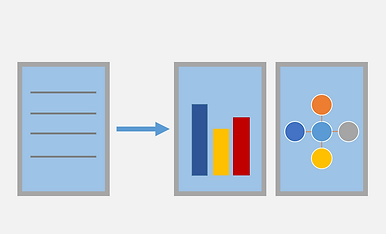
Visual way for easy-understanding
INFORMATION ARCHITECTURE
Based on the design insights, we constructed the information architecture such that there was a minimal level of difficulty in immediately accessing relevant information. After all, the goal of this product is to enable users to quickly and easily view information.

WIREFRAMES
- Access from SETUP WIZARD
- Access from Setting Application
: To efficiently apply the
information displayed on the
website to the mobile device
screen, we thought a lot about
the visualization of the data.

USER INTERFACE DESIGN


SETP WIZARD : Sign-in or create a Samsung account
When users set up the device for the first time, the Samsung account page in setup wizard displayed the benefits for inducing user sing up. After the user signs, it provides a page to set cloud features at the setup wizard stage.
Samsung cloud features added to Settings application
Samsung cloud is added to "Cloud and accounts" under settings app.
Users can backup and sync the data according to user preferences.


Samsung Cloud menu
In this menu, the user can check and control all features related to Samsung cloud as same as Web service. All status, usage, and remaining storage are display in the visualized diagram for easy understanding by users.

Multi devices
By using Samsung cloud service, multi-devices connected to one account can be managed and controlled the data easily and almost at the same time.

New web design
We redesigned the web page with the same concept as the new mobile design.
REFLECTION
The project was developed webs, mobile, and tablet at the same time. After launching S7, Note 7, which was the first device integrated to Samsung cloud feature, Samsung cloud web and mobile are co-working for developing new features and adding more values to the elements. Also, at the user experience view, users can use and feel seamless service between the website and hands-on devices. For me, it was an excellent opportunity to learn about the importance of service strategy and the consistency of user experience on multiple devices through this project.